Boolean Painter
A downloadable tool
A pixel art program from an alternate timeline where memory efficiency still matters.
Boolean Painter is a palette-indexed pixel art, sprite animation, and game asset tool built for artists and developers who want direct control over color, layers, animation variants, and export data.
Every pixel stores a palette index. That makes Boolean Painter especially useful for low-bit-depth art, palette swaps, compact spritesheets, grid-based level assets, and projects where the image data needs to become code instead of only a flattened PNG.
Why Boolean Painter?
- Built around indexed color: work from 1 to 8 bits per pixel with palettes from 2 to 256 colors.
- Made for game assets: create sprites, tiles, icons, effects, UI art, compact textures, and grid-based level visuals.
- Palette swaps without repainting: assign palettes per layer and override palettes during animation sequences.
- Layered animation by composition: reuse frames, layers, visibility, alpha, and palette changes instead of duplicating art for every variant.
- Import messy spritesheets: scale, resample, slice, alpha-threshold, color-key, and quantize existing art before bringing it into a project.
- Export for art and code pipelines: produce images, spritesheets, GIFs, MP4s, or native source data for your project.
Indexed Color From The Ground Up
Boolean Painter did not start as a general paint program with a palette feature attached later. It began as a way to create tiny 1-bit texture data for an embedded game project, then grew into a full pixel art editor where the palette index is the basic unit of the whole system.
That foundation changes what the program is good at. A layer can be recolored by changing its palette assignment. A sequence step can override a layer palette to create variants. A finished asset can be exported as indexed data that is already close to what a game or embedded project wants to consume.
Drawing Tools
Boolean Painter includes the core tools you would expect for pixel art, plus tools that lean into indexed color and dithering.
- Eyedropper
- Pencil
- Line
- Rectangle, circle, and ellipse tools
- Filled rectangle, filled circle, and filled ellipse tools
- Spline
- Flood fill
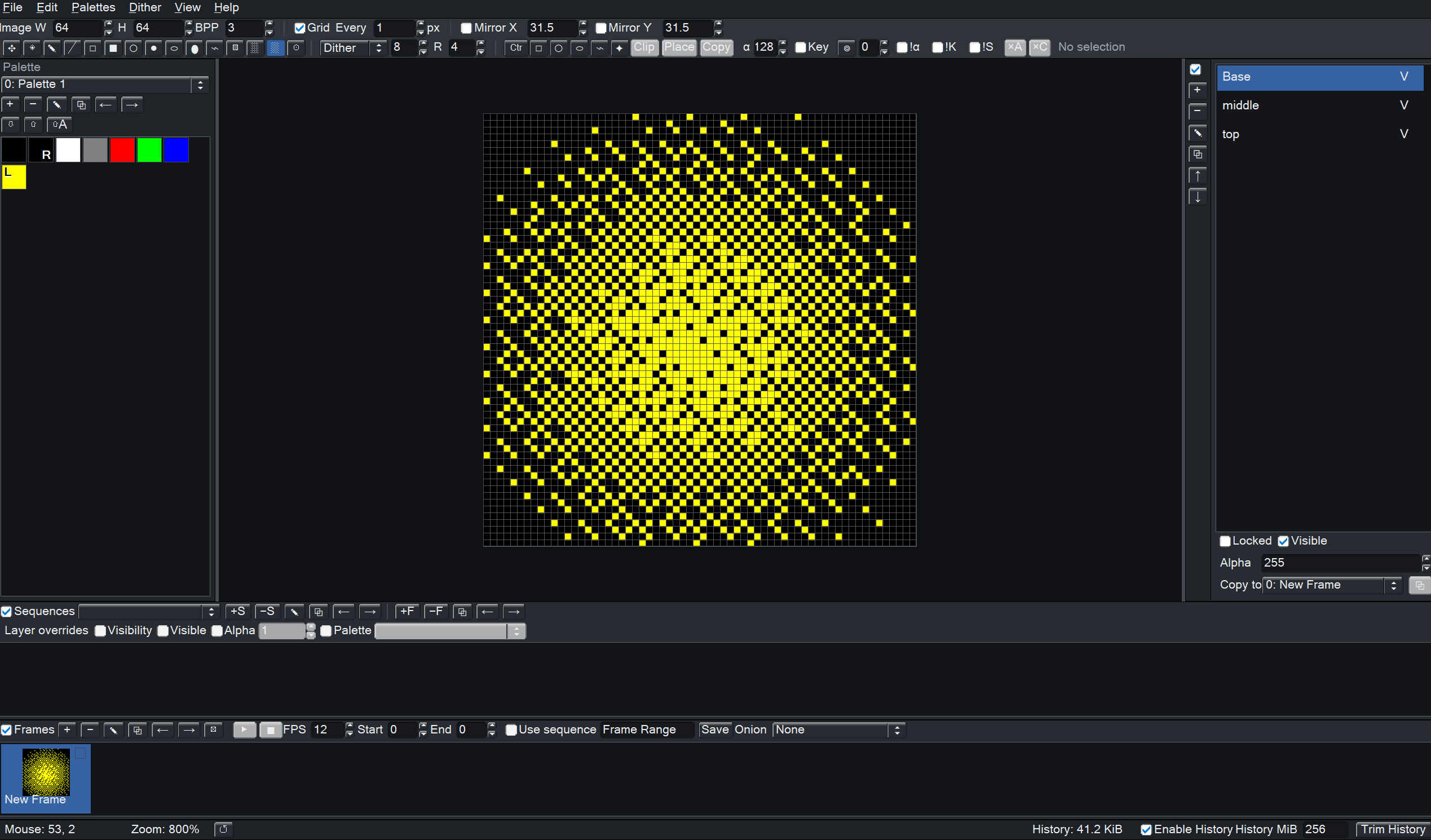
- Linear dithered gradient
- Radial dithered gradient
- Configurable dither brush
Filled tools and brushes can use ordered dither patterns or randomized spray-style coverage. Dither options include Bayer patterns, blue noise, line patterns, diagonal patterns, crosshatch, clustered dots, dispersed dots, Floyd-Steinberg, and Atkinson.
Drawing operations can also be mirrored across horizontal and vertical mirror lines with adjustable positioning, which is useful for symmetrical sprites and wrapping texture work.
Selections And Mimics
Selections can be rectangular, circular, elliptical, freeform lasso regions, or connected areas chosen with a magic-wand style selection.
Boolean Painter also has a copied-pixel system called mimics. A mimic is more than a raw copy of a selected region: it can use alpha thresholds, color keys, shape masks, and mask inversion to place filtered stamps from existing pixels. This makes repeated details, cleaned-up sprite parts, masked copies, and small variations faster to build.
Palettes, Layers, And Variants
Projects can contain multiple RGBA palettes. Each layer can have its own palette assignment, and palettes can be imported or exported so a project or team can reuse the same color sets.
Frames can contain any number of layers. Layers have visibility, alpha, locking, names, and palette assignments, and they can be cloned or copied between frames.
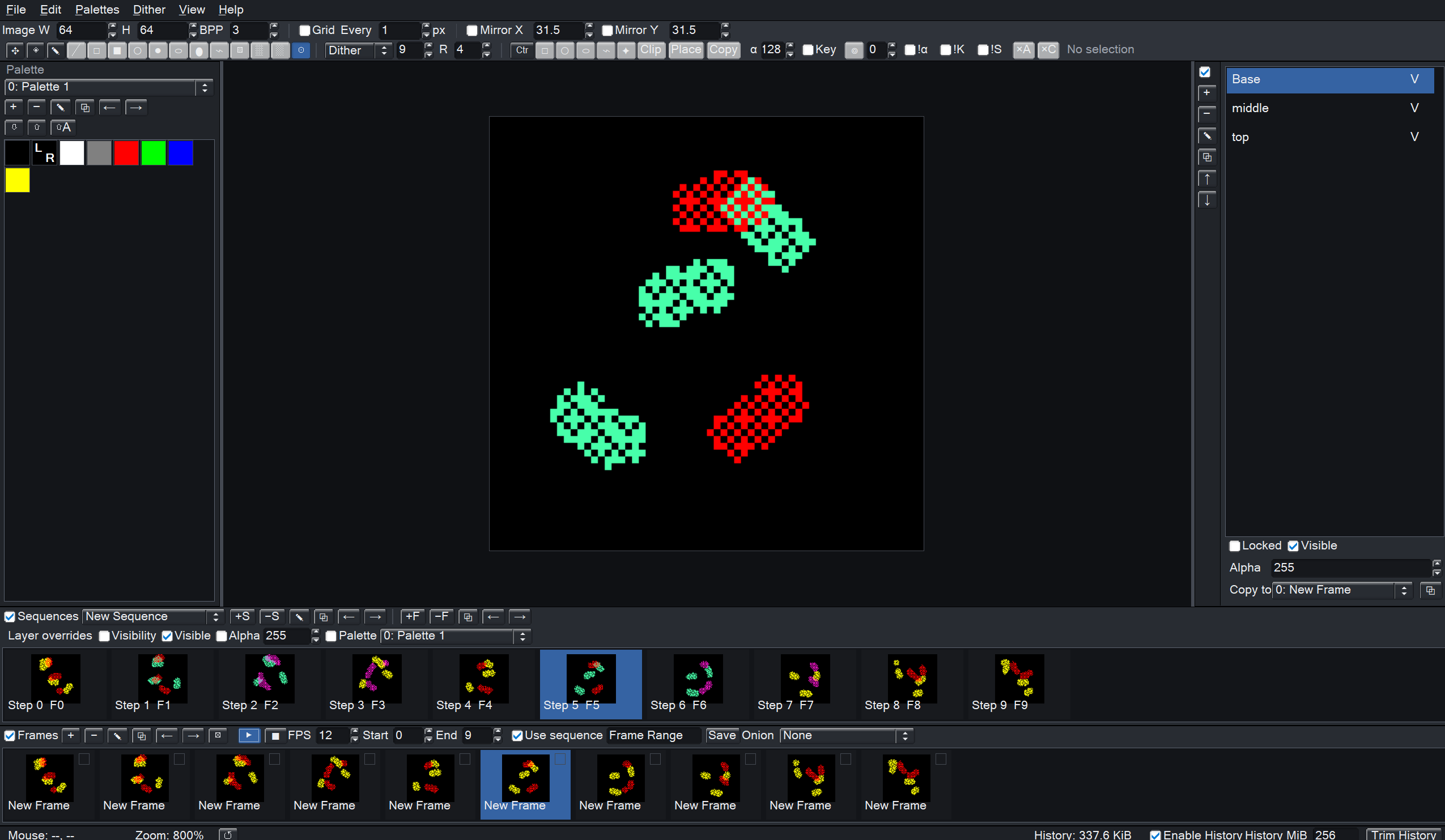
The important part is that animation sequences can override layer visibility, alpha, and palette assignment per step. That means one set of source art can support many variants: alternate colors, flashing effects, equipment changes, lighting shifts, damage states, or reusable animation pieces.
Animation By Composition
Boolean Painter's animation system is built around reusing project assets instead of forcing every animation frame to become a separate final image.
You can draw a base character on one layer, separate clothing or equipment onto other layers, keep effects on their own layers, then use animation sequence steps to decide which parts are visible, how transparent they are, and which palettes they use. When you are ready, the result can be exported as a spritesheet, GIF, MP4, or code data.
Import Existing Pixel Art
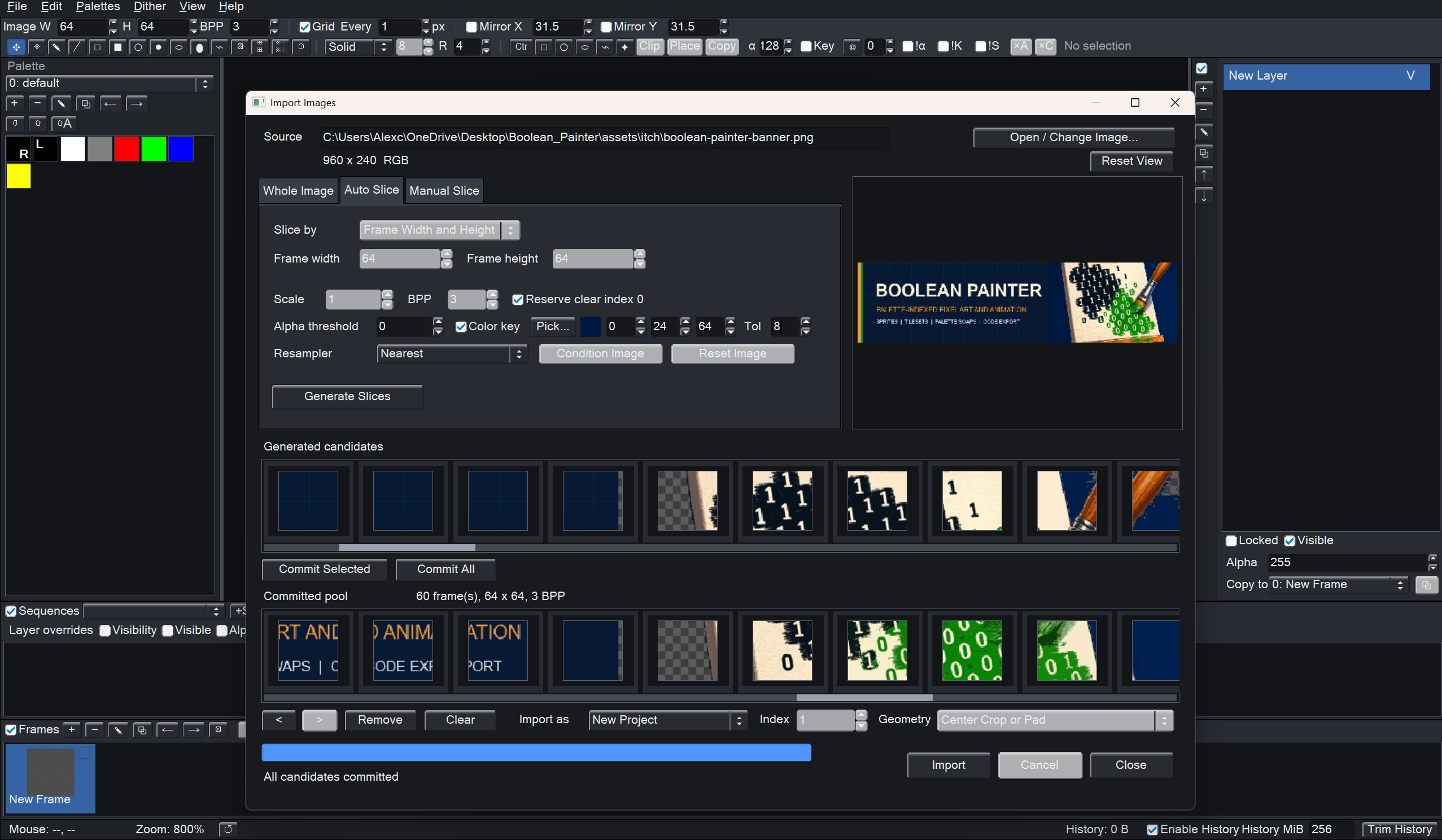
If you have ever downloaded a spritesheet with misaligned frames, odd transparency, or a solid background color that needs to disappear, Boolean Painter's import workflow is built for that kind of cleanup.
- Import whole images or spritesheets.
- Auto-slice by rows, columns, frame width, or frame height.
- Manually select source regions when auto-slicing is not enough.
- Scale with nearest, box, bilinear, bicubic, or Lanczos resampling.
- Apply alpha thresholds and color keys.
- Quantize imported art down to 1-8 bits per pixel.
- Insert imported results as a new project, new frames, or new layers.
Export For Artists And Developers
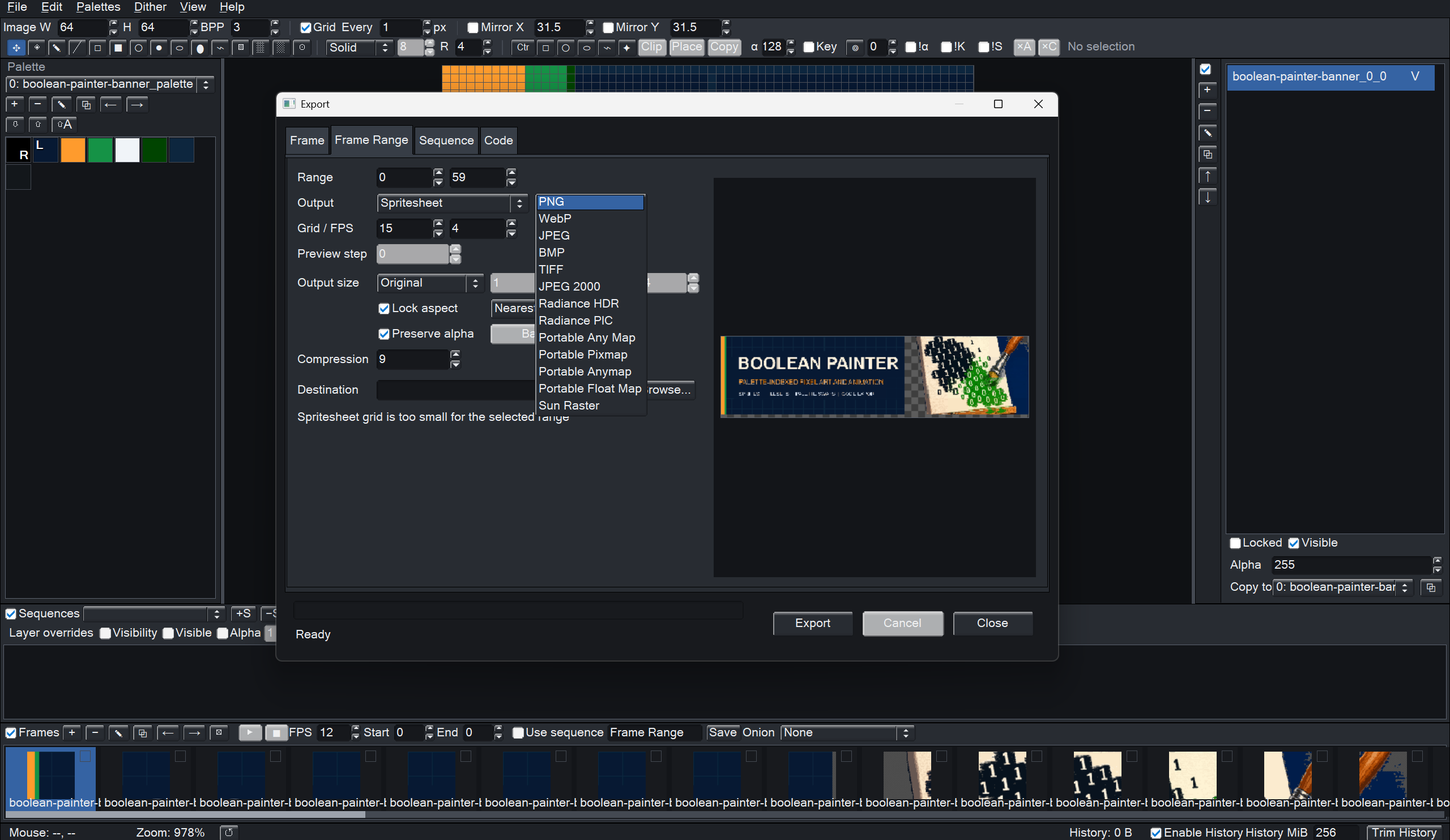
Boolean Painter supports four main export workflows:
- Single frame export
- Frame range export
- Animation sequence export
- Code export
Image export support depends on the available OpenCV encoders in the build, with common targets including PNG, WebP, JPEG, BMP, TIFF, JPEG 2000, OpenEXR, HDR/PIC, PAM, PPM, PNM, PFM, and Sun Raster.
GIF and MP4 export are available when FFmpeg is installed and available on your system path.
For developers, the code export is the unusual part: Boolean Painter can export indexed project data as C headers, C++ headers, NASM assembly, Lua modules, or Python modules, with optional helper functions. Instead of writing a separate script to convert your art into engine-ready data, the asset can leave the editor already structured for code.
Good For
- Pixel art sprites and frame-by-frame effects
- Tilesets, icons, cursors, and compact UI graphics
- Palette-limited art styles
- Palette swaps for teams, biomes, lighting, damage, or alternate costumes
- Cleaning up and repacking existing spritesheets
- Embedded projects and low-memory game assets
- Exporting both visual previews and code-ready indexed data
Notes
- Boolean Painter is a desktop application.
- GIF and MP4 export require FFmpeg.
- Export format availability can depend on the codecs included in the build.
- Project files preserve palettes, frames, layers, sequences, and sequence-step overrides.
Purchase
In order to download this tool you must purchase it at or above the minimum price of $19.99 USD. You will get access to the following files:
Download demo
Development log